This guide explains how to set up Tripcatcher to calculate the right mileage claim for you when you drive an electric or hybrid car/van for business (as of 1st March 2026).
Privately Owned Electric or Hybrid Vehicle
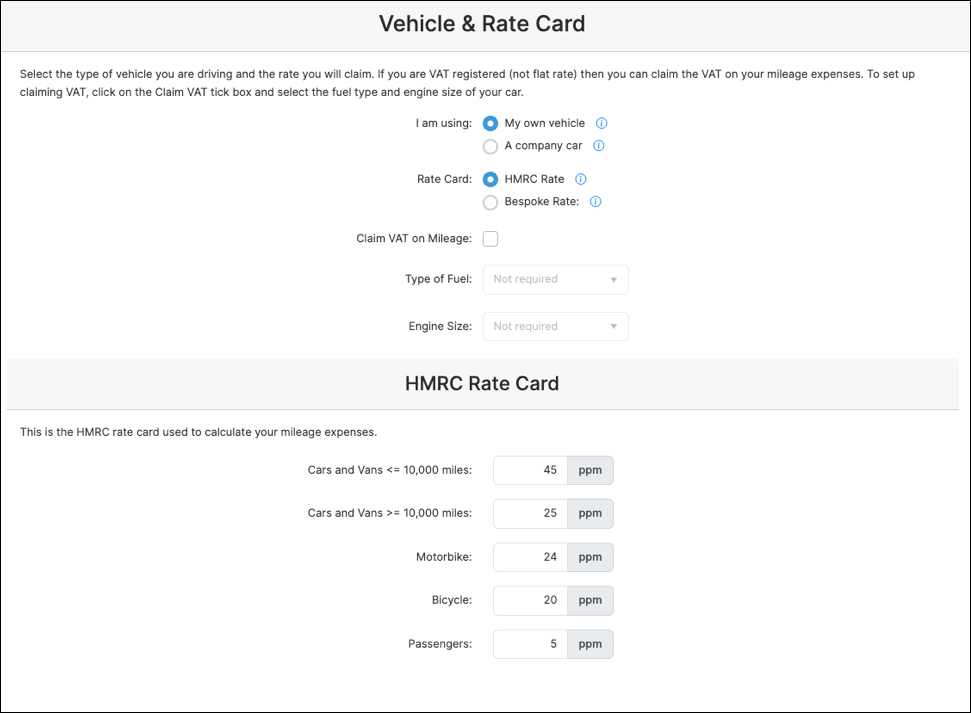
If you drive your own electric or hybrid car/van for business, then you can claim the HMRC Approved Mileage Allowance Payments (AMAPs). As this is the default mileage setting in Tripcatcher, there is nothing for you to change on the Tripcatcher Settings page.
The image below shows the default mileage settings on the Tripcatcher Settings page.
1. Default Mileage Settings
If you charge your own electric vehicle at a public charging point (rather than at home) and wish to reclaim the VAT on your mileage claims, you will need to make this one-time change to your Tripcatcher settings.
2. Claiming VAT
Select the Claim VAT on Mileage tick box.
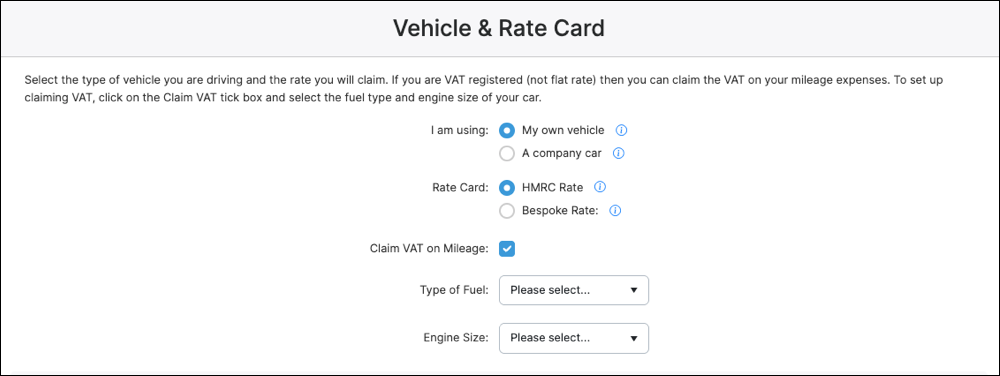
Next, select the Type of Fuel as “Electric” and the Charging Location as “Public Charging”.

Note – Tripcatcher does not support VAT claims on home charging — HMRC does not permit this for most users, and where it does apply, the 5% electricity VAT rate is not currently supported by Tripcatcher. See HMRC’s VAT Notice 700/64, Section 8 for further information.
Company Owned Electric Vehicle
However, if you drive an electric company car/van then please follow these instructions (for company hybrid cars/vans go to the next section).
1. Settings Page
Open the “Settings” menu and scroll down the page to the Vehicle and Rate Card section.

2. Vehicle and Rate Card Settings
The first selection is about the type of vehicle you’re using; when driving a company electric car or van for business travel then select Company Car and ensure the Rate Card is set to Advisory Fuel Rate.
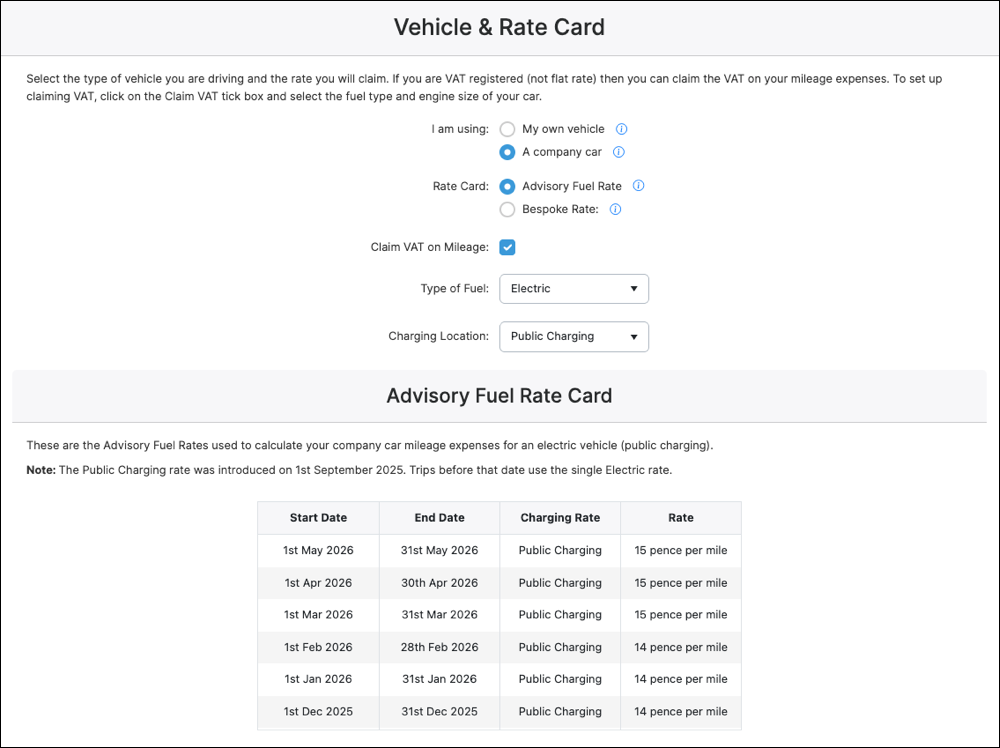
Next, select the Type of Fuel as “Electric” and then select the Charging Location. The Charging Location can be Home Charging or Public Charging. The Advisory Electric Rate (AER) for Home Charging is 7ppm, and for Public Charging it is 15ppm. Now your mileage settings and rates have been set up on the Tripcatcher Settings page for your company electric car/van, they will be used to calculate your future mileage claims.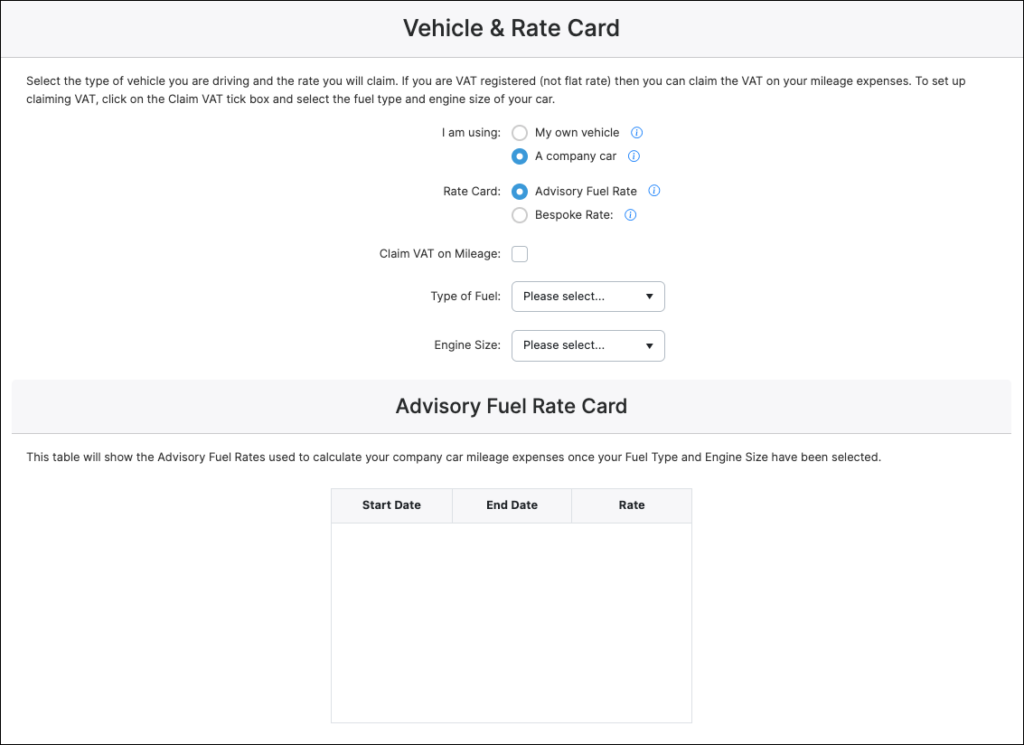

3. Claiming VAT
As the fuel type and charging location are already selected, claiming VAT is simply a matter of selecting the Claim VAT on Mileage tick box. Please note that Tripcatcher only supports VAT claims for company electric vehicles using public charging — home charging is not supported.
Company Owned Hybrid Vehicle
HMRC recommends that hybrid company vehicles are treated as either petrol or diesel vehicles for mileage claiming purposes. Tripcatcher supports this by using the standard HMRC Advisory Fuel Rates (AFR) for petrol and diesel, which can be applied directly to hybrid vehicles.
To set this up in Tripcatcher follow the instructions below.
1. Settings Page
Open the “Settings” menu and scroll down the page to the Vehicle and Rate Card section.
2. Vehicle and Rate Card Settings
The first selection is about the type of vehicle you’re using; when driving a hybrid company car or van for business travel then select Company Car and ensure the Rate Card is set to Advisory Fuel Rate.
Next, select the Type of Fuel (petrol or diesel) your hybrid uses and then the Engine Size. This will determine the Advisory Fuel Rates used for your mileage claims.
Now your mileage settings and rates have been set up on the Tripcatcher Settings page for your hybrid company car/van, they will be used to calculate your future mileage claims.

3. Claiming VAT
As the Fuel Type and Engine Size are already selected, claiming VAT is simply a matter of selecting the Claim VAT on Mileage tick box.

If you have any questions about setting up the mileage rate for your electric vehicle please do get in contact with support@tripcatcherapp.com and we will be happy to help.